Use Kairos in Claude or ChatGPT
Connect your Kairos account to the AI you already use. Ask “when did I last…?”, have it find something in your life record, or tell it what happened today and it drafts the entry for you to confirm in Kairos.
https://mcp.kairosloom.life/mcp1. What it can and can’t do
It can
- Tell you today's Kairos coordinate
- Read and search your Weeks-in-Life entries
- Add a new entry to your record
It can’t
- Edit or delete anything you already wrote
- Reach your uploads, Drive files, or account settings
- Act without you approving the connection first
Anything it adds goes straight into your record, like an entry you typed yourself. Edit or delete it in Kairos any time. Claude and ChatGPT ask you before it adds anything.
2. Set it up in Claude
In Claude: Settings → Connectors
- Click your name, bottom-left.
- Choose Settings.
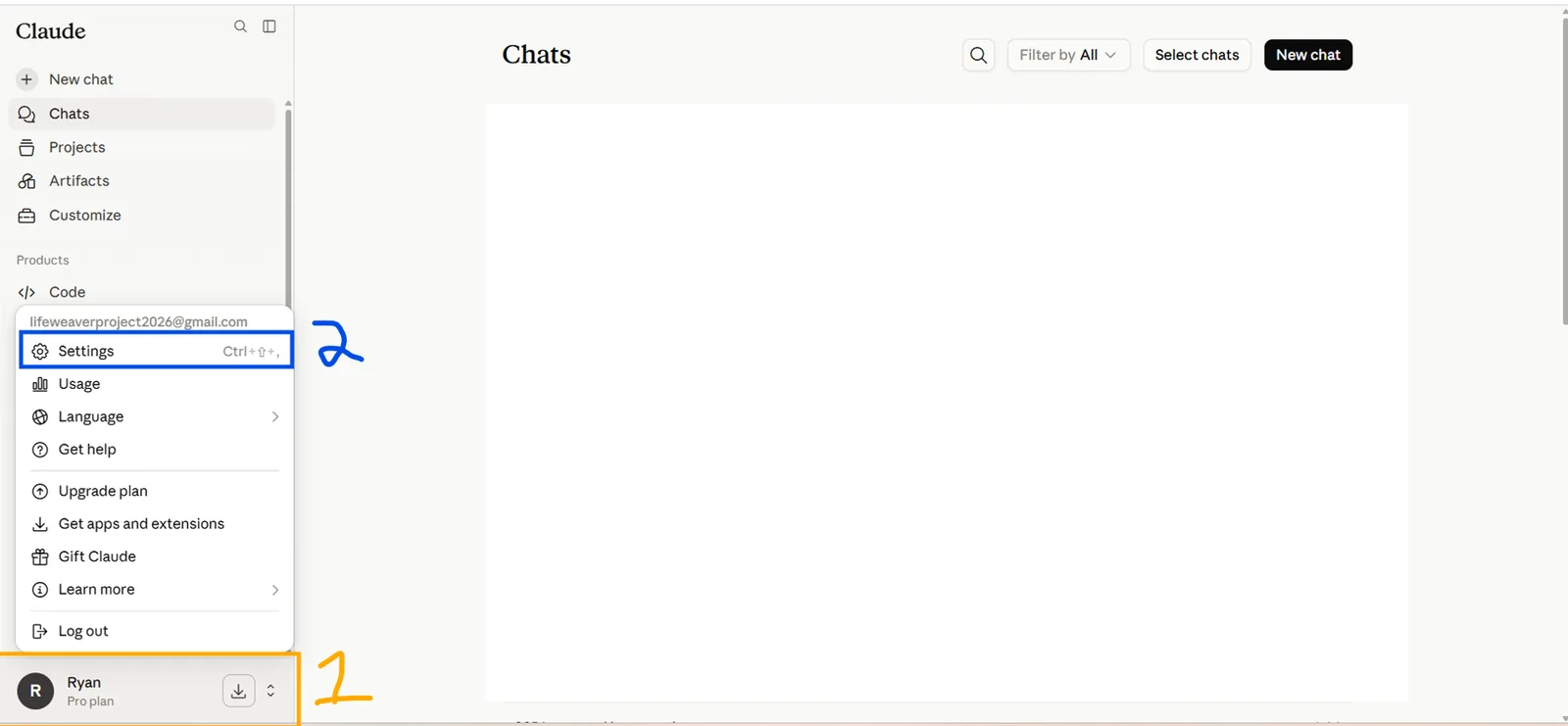
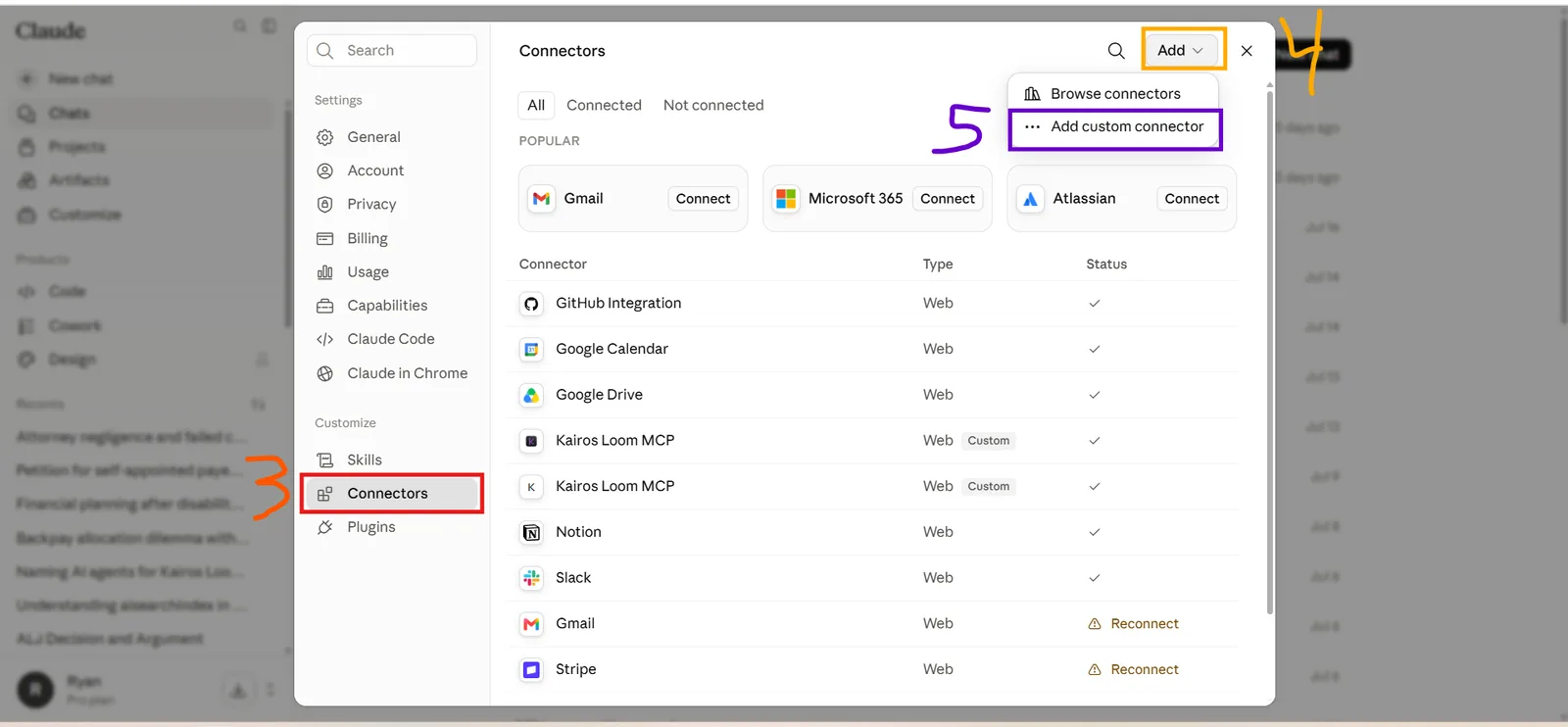
- Open Connectors.
- Click Add, top-right.
- Choose “Add custom connector”.
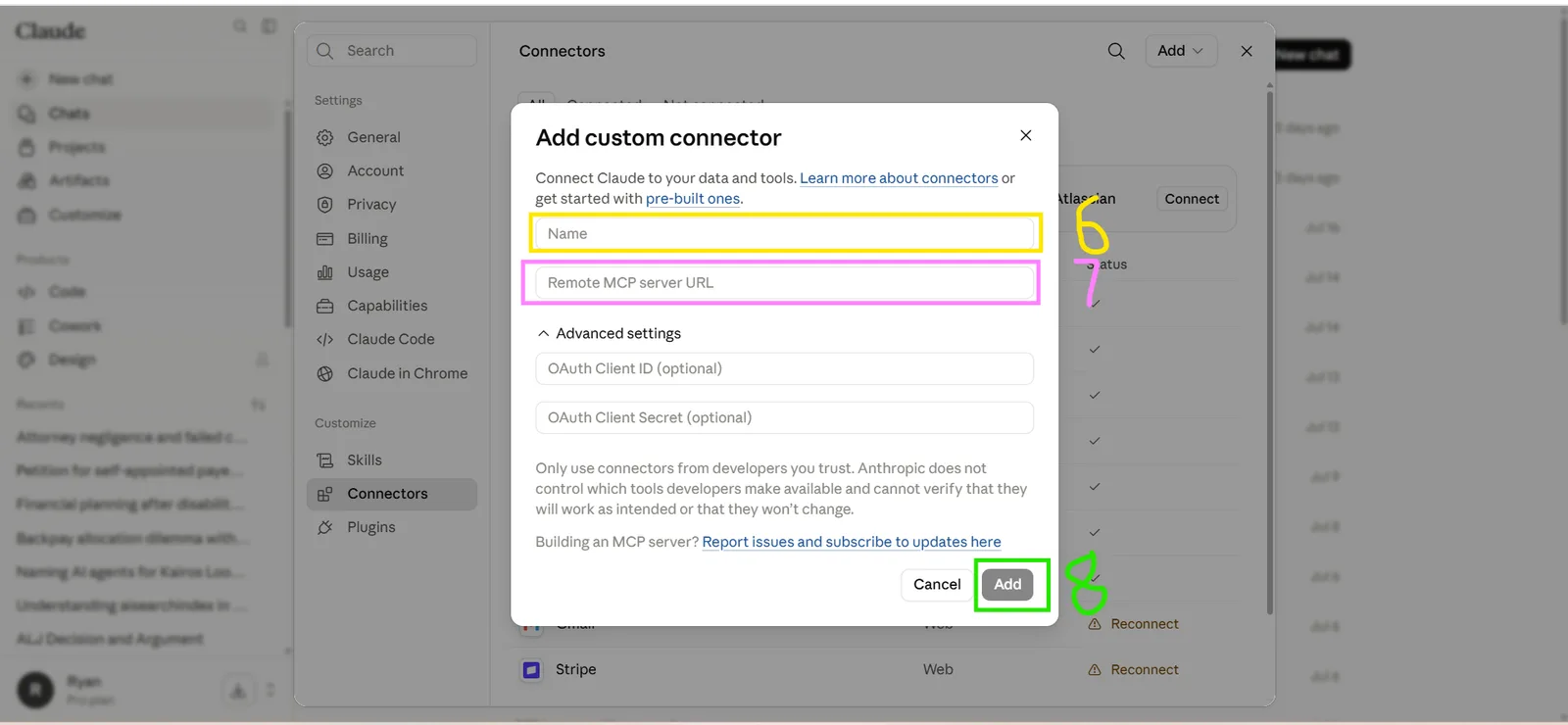
- Name it anything — “Kairos” works.
- Paste the Kairos URL into “Remote MCP server URL”.
- Click Add. Leave the OAuth fields empty.
Claude then asks you to sign in (Google, or your Kairos email) and approve access. That’s it.
3. Set it up in ChatGPT
In ChatGPT: Settings → Plugins
- Click your name, bottom-left.
- Choose Settings.
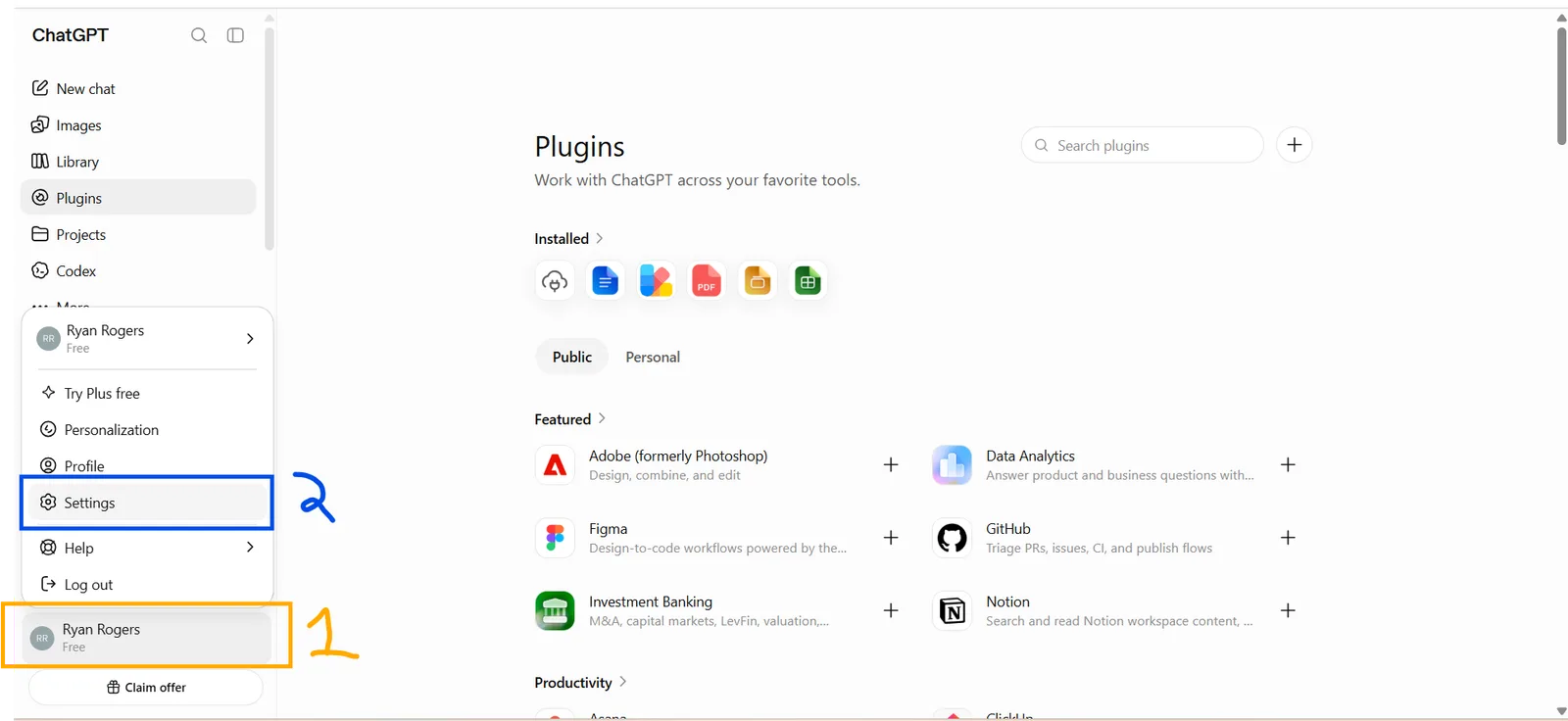
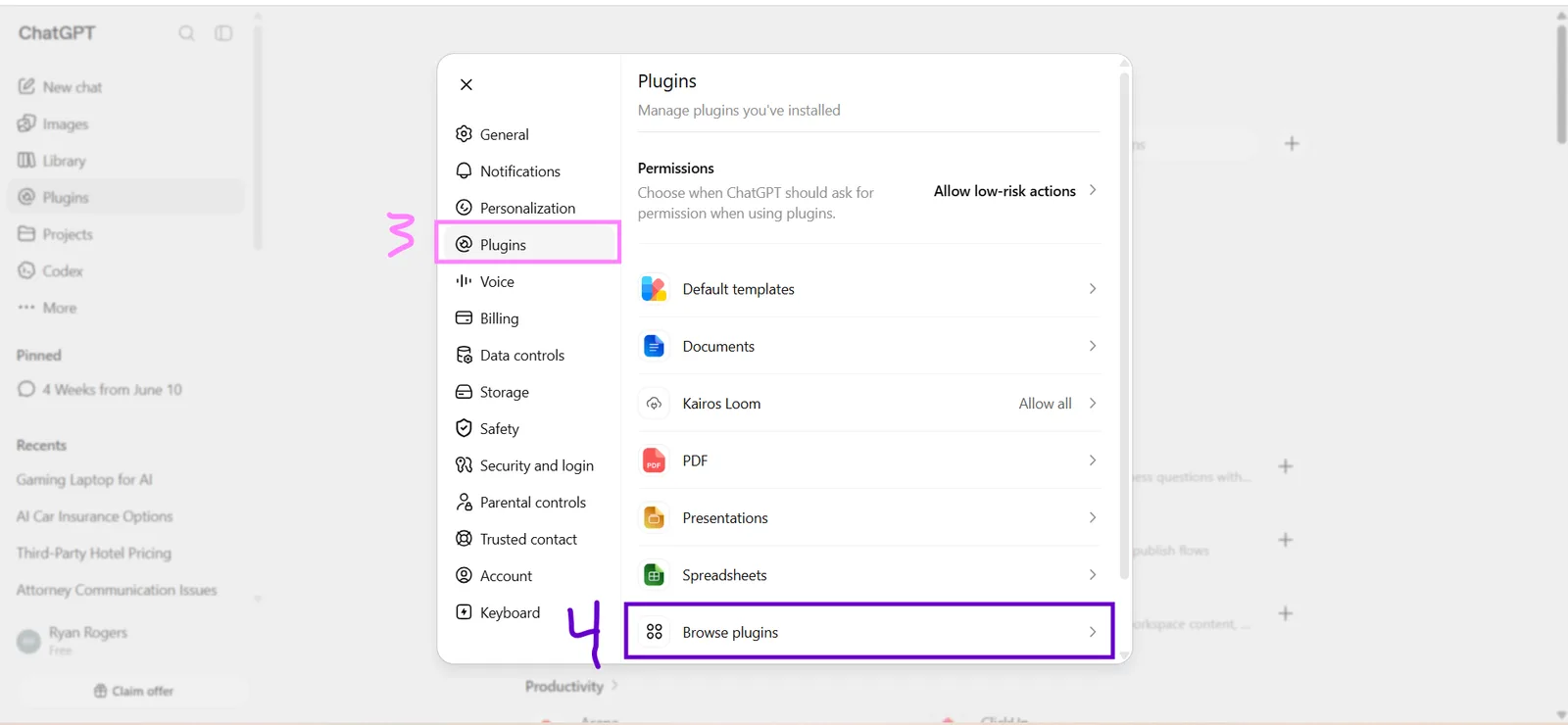
- Open Plugins.
- Click “Browse plugins”.
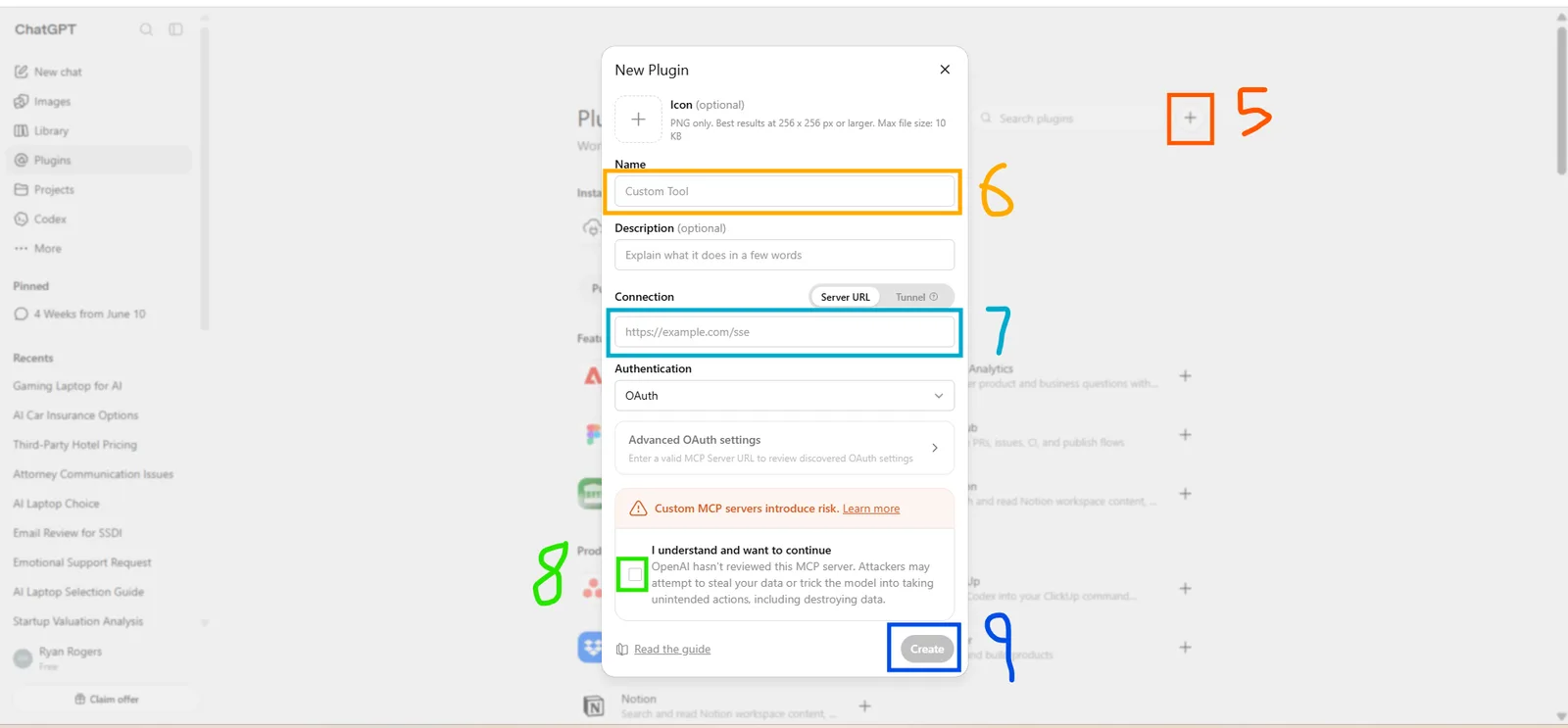
- Click the + button, top-right.
- Name it — “Kairos” works.
- Paste the Kairos URL into Server URL. Leave Authentication on OAuth.
- Tick “I understand and want to continue”.
- Click Create.
ChatGPT then asks you to sign in (Google, or your Kairos email) and approve access. That’s it.
4. Signing in, and disconnecting
When you connect, Kairos opens its own sign-in page. Sign in with Google or with your Kairos email and password, check what the AI is asking for, and press Approve. Kairos never sees your Claude or ChatGPT password, and they never see yours.
To disconnect, remove Kairos from your connectors in Claude or ChatGPT. Its access ends, and nothing it drafted is deleted from Kairos.
5. Your data
The connector reads only your own Kairos entries, and only after you approve it. It can’t reach your uploads, Drive files or account settings. What Claude or ChatGPT does with the answers is covered by their own privacy policies; how Kairos handles your data is in our Privacy Policy.
6. Help
Questions or problems? Email hello@kairosloom.life.